
A reader drawn too close to the cabinet can block the service panel once the tripod gate is anchored. Moving it after the floor has been drilled is an expensive way to discover a drawing error. Before installation day, put the cabinet, reader, cable entry, arm movement and maintenance access on one agreed lane plan.
This checklist begins after the gate model has been chosen. It gives the owner, installer and integrator a common sequence for preparation and acceptance. Anchor sizes, terminals, electrical protection and safety connections still come from the ordered model’s manual and the qualified trades working on site.
What must be fixed on the drawing before the gate arrives?
Write the ordered model and configuration on the drawing. The words “tripod turnstile” alone do not identify the cabinet footprint or its wiring. Our tripod turnstile gate range includes different cabinet shapes and operating options. The chosen model sheet, approved drawing and order configuration must agree before the site team marks the floor.
Draw the cabinet at full size, then trace the arm’s movement and the path a person takes through the lane. Keep the reader and any wall clear of the service opening. Beside the tripod lane, show an accessible route for wheelchair users and for people with luggage or carts that cannot pass through the arms. The owner needs to specify how that route is controlled and signed.
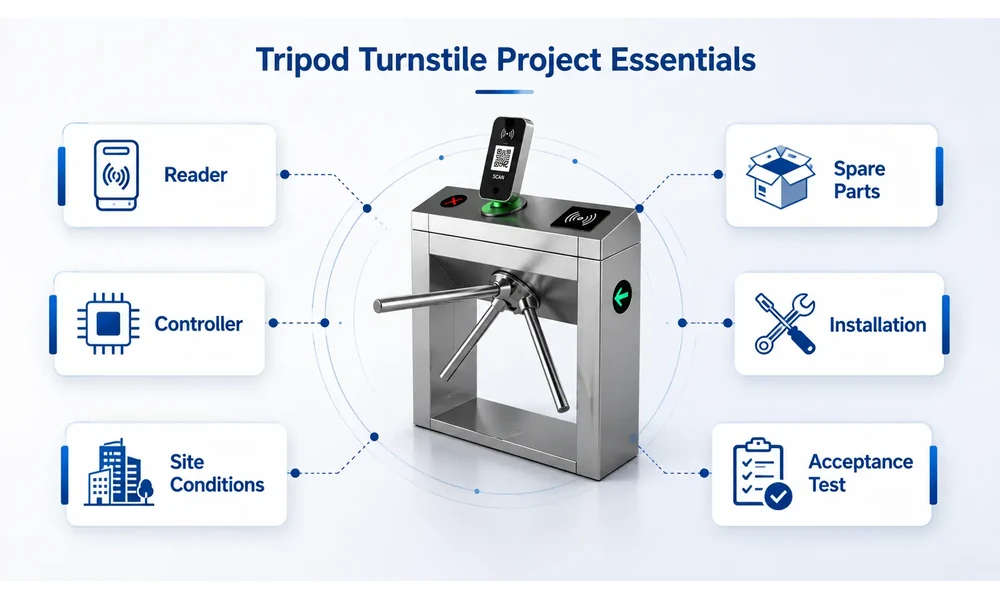
Decide the lane direction on paper. Entry and exit may use different credentials, or one side may be free. The integrator also needs a rule for an unused authorization and for a push against a locked arm. Otherwise the same hardware can be wired correctly yet behave differently from what the owner expected.
For multi-lane sites, label each unit and its matching controller, reader and cable. A useful label survives handover; “left gate” becomes confusing when the installation is viewed from the other side. Record the gate ID on the drawing and on the test sheet.
What should the site team check before anchoring the cabinet?
Measure the finished floor and the proposed cabinet line after nearby walls and doors are in place. Check the queue space from the direction people will actually approach. The service panel must open in the final position, not only on an isolated product drawing. Locate floor joints, buried services and any water path before a drill touches the surface.
دی TGW-TT028 product details give that model’s cabinet size, arm length, passage width, power range and bidirectional application. Use such information to check the selected model, not to set a universal footprint for every tripod gate. A longer cabinet style or a different reader provision can change the floor marks and cable entry.
The site owner and installer should sign off on the mounting surface and drilling location. Use the model manual for the fixing method. Before the cabinet is moved into place, compare its serial number and accessories with the packing list; photographs make a missing part or transit damage easier to resolve.
Bring the power, data and control runs to the marked entry point with room for later service. The qualified electrical installer checks the supply and isolation against the selected model documents. A quick power-on to watch the arm move should wait until the cabinet and connections have been reviewed.
Which interfaces need written sign-off before power-on?
Which system decides that someone may pass? The answer could be a local reader, an access controller or ticketing software. Put its signal, timing and event destination on the interface sheet. The gate can move for an authorized cycle, but the owner still needs a record that matches the credential presented.
Our guide to turnstile access control integration covers compatibility questions. On this job, the interface sheet should name the actual reader and controller models, signal path and configuration owner. A claim that a unit “supports RFID” does not establish the credential format, protocol, power or physical fit.
Emergency behaviour deserves its own sign-off. An alarm input and a loss of power may produce different responses. Some tripod configurations lower an arm; others use a free-passage setting. Record the ordered unit’s sequence from the supplier, name the fire-alarm interface owner, and have the site safety team approve the evacuation route. A product description alone cannot establish local compliance.
| Interface or event | Supplier confirms | Site team confirms | Acceptance evidence |
| Power and protective connection | Model requirement and terminal documentation | Supply, isolation and qualified installer | Signed pre-power check |
| Entry and exit readers | Compatible signal and mounting provision | Credential types and reader position | Read and deny test on each side |
| Access software | Gate input/output behaviour | Rule owner and event-log destination | Matched controller and gate records |
| Emergency input and power loss | Selected model’s defined response | Site alarm sequence and egress plan | Witnessed release and recovery test |
Keep the interface sheet beside the lane drawing. The software and electrical teams may arrive on different days; both need the same version.
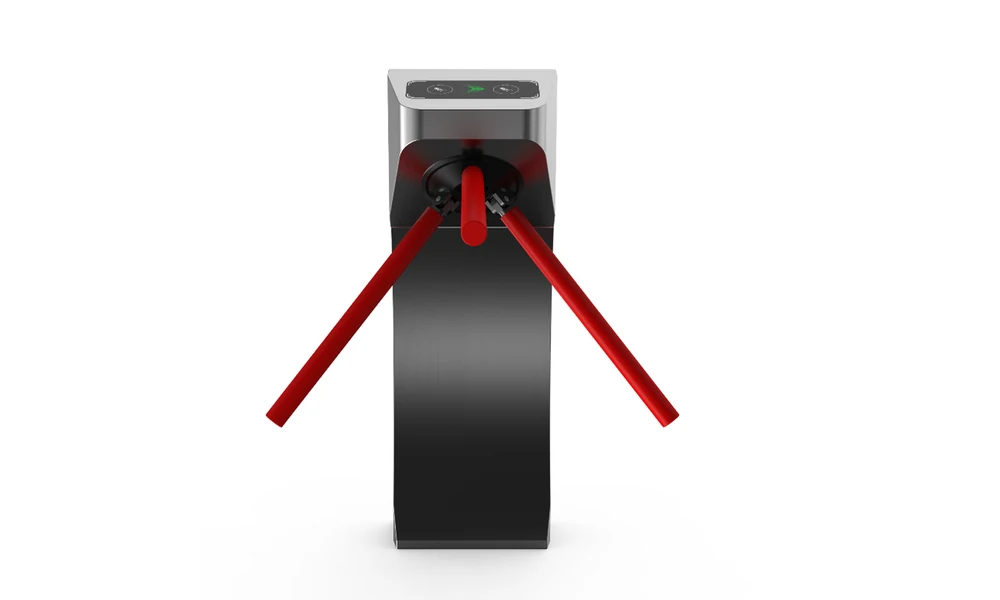
How do you commission one complete passage cycle?
Start with the cabinet secure, the arm moving without contact against nearby structures, and every cover closed as required by the model instructions. Complete the ordered model’s setup procedure before the owner witnesses a passage. During the test, keep the operator screen and event log open; they need to tell the same story as the physical gate.
Start at the entry reader with a valid credential. Watch the indicator, one complete arm rotation and the return to the ready state. A denied credential should leave the lane closed. Then move to the exit side and repeat the checks against its own rule, including free exit if the owner specified it.
The awkward tests are often the revealing ones. What happens when a card is accepted but nobody passes, or when two people try to follow one authorization? Add a wrong-direction attempt and a controller communication interruption. Write the expected outcome first; an alarm is only a fault if it conflicts with that agreed rule.
Have the authorized site team witness the emergency sequence. Our article on tripod emergency behavior gives the broader context. The project record needs the signal source, observed arm position, any operator action and the route back to service. If the model responds differently to power loss, witness that case separately.
Give every gate its own sign-off sheet. Record the test ID, expected and observed result, time, owner and corrective action. Photos help, but they do not replace a unit ID and configuration record. If a fault is fixed, repeat the affected test; leave an open exception visible until it passes.
What evidence belongs in the handover pack?
When the installer leaves, the owner should be able to identify each gate without calling the crew back. The handover pack needs the as-built drawing, model and serial numbers, reader/controller map, final settings, software contact and signed test sheets. Add short operating notes for denied reads, emergency release and fault reporting.
Assign ownership of later changes. A software rule can reverse lane direction or change release behavior without anyone touching the cabinet. The operating file should name who may change credentials, edit software or open the enclosure, and how a change is checked. Keep the maintenance schedule there too, separate from the installation sign-off.
The job is complete when the site can demonstrate the agreed passage sequence and retain evidence for the exception paths. Send us the selected model, lane drawing, credential and controller details, plus the required emergency response through contact our turnstile team. We can then confirm the model-specific documents and the tests that your installer should perform before sign-off.